
Think you can’t rank on Google Maps without a physical store? Think again.
Many service-based businesses like plumbers, digital marketers, consultants, and freelancers don’t have walk-in offices. And that’s completely fine. Google map seo now supports Service Area Businesses (SABs) that operate without a storefront.
In this guide, you’ll learn exactly how to rank in Google Maps without showing your address, using simple but effective local SEO strategies.
1. Can You Rank Without a Storefront?
Yes, absolutely.
Google allows Service Area Businesses (SABs) to show up in local search results without displaying a physical address. These include:
- Plumbers
- Home cleaning services
- Freelance consultants
- Digital marketing agencies
Instead of showing an address, Google displays the service areas you select.
Tip: When creating your Google Business Profile, be sure to hide your address and choose the areas you serve.
2. How Google’s Local Search Works?
Google ranks local businesses based on 3 factors:
- Relevance: How closely your business matches what someone is searching for.
- Distance: How near you are to the searcher (based on your listed service areas).
- Prominence: How well-known and trusted your business is online (based on reviews, backlinks, and mentions).
3. Set Up Your Google Business Profile the Right Way
To get started, you need a complete and optimized Google Business Profile (GBP):
- Use your real business name
- Select the most relevant primary category (e.g., “Digital Marketing Service”)
- Check “I deliver goods and services to customers”
- Hide your address
- Add the cities or postal codes you serve
- Write a keyword-rich, natural business description
- Upload real photos of your work or branding
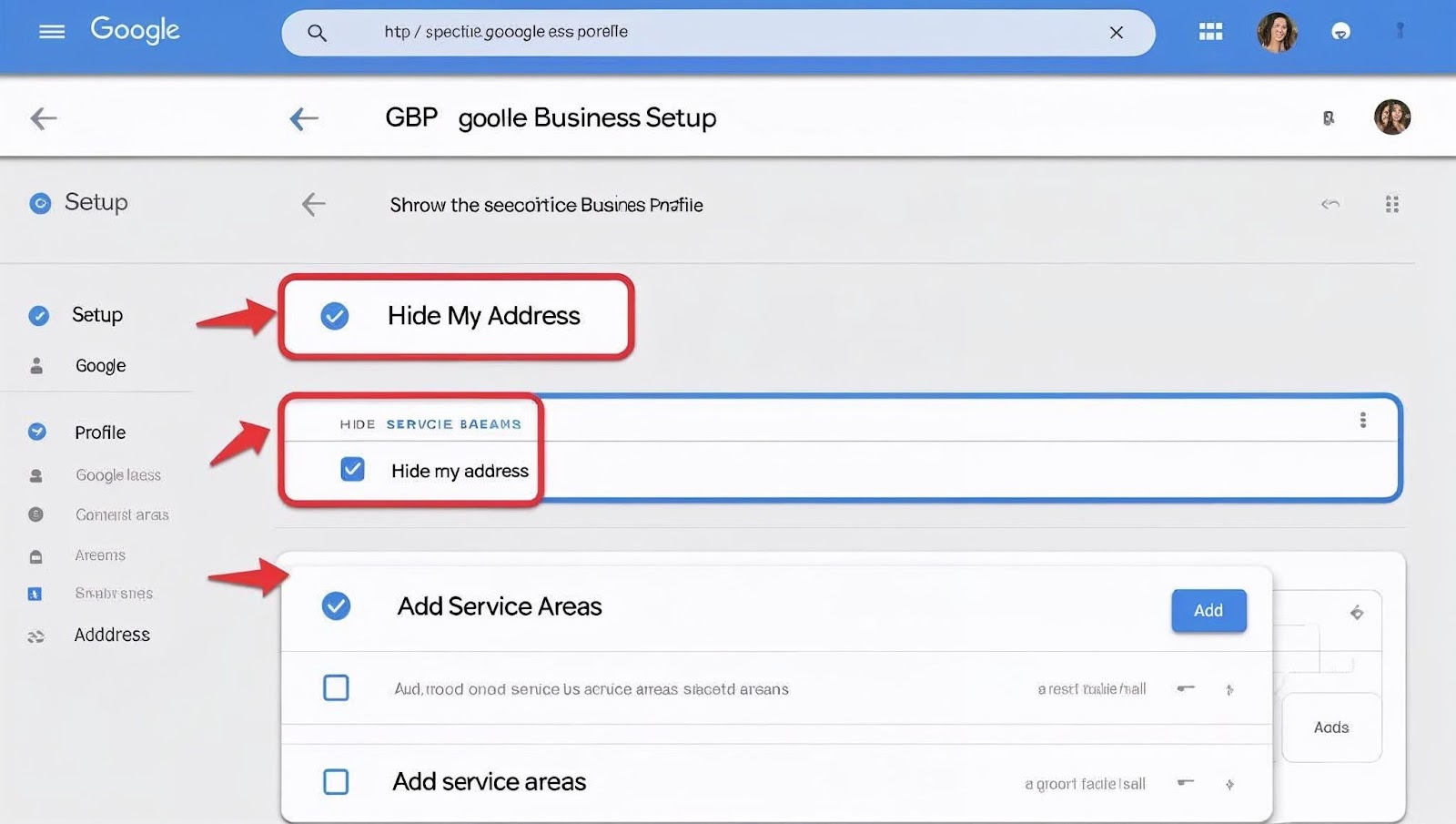
Screenshot of the GBP setup page with the “Hide my address” and “Add service areas” options selected.
4. Use the Right Service Area Business (SAB) Settings
Here’s how to set up your SAB:
- Go to your Google Business Profile.
- Click on Info.
- Under your address section, select “I deliver goods and services”.
- Check the box: “Hide my address (it’s not a store)”.
- Add cities, postal codes, or regions you serve.
This setup tells Google where to rank you even without a public address.
5. Optimize for Relevance, Distance & Prominence
Relevance
- Use keywords in your business description (e.g., “SEO services for small businesses”).
- Add services and service descriptions.
- Use relevant business categories.
Distance
- Choose realistic service areas, where your customers are located.
- Keep your service area list focused, not too broad.
Prominence
- Get more positive reviews.
- Build backlinks from local websites.
- Be mentioned in directories and local media.
6. Build Local Citations (Without an Address)
Citations are online listings of your business name, phone number, and website. You can still build these without showing an address.
Submit your business to directories like:
- Yelp
- Justdial
- Sulekha
- Yellow Pages
- Foursquare
Tip: Use a consistent Name + Phone + Website (NAP) across all platforms. Just skip the full address or enter your city only.
7. Get Google Reviews and Respond to Them
Reviews boost your prominence and trust. Here’s how to manage them smartly:
- Ask happy customers to leave reviews
- Include keywords and service areas naturally (e.g., “Great SEO service in Pune!”)
- Respond to every review positive or negative
Tools to Try:
- Whitespark
- BrightLocal
These can help manage your reviews and reputation.
8. Earn Local Backlinks
Backlinks = trust in Google’s eyes.
You can build local backlinks by:
- Writing guest posts for local blogs
- Getting listed on community websites
- Joining local business groups or chambers of commerce
- Sponsoring local events or causes
Even 4–5 good quality local links can give your SAB a boost in Google Maps rankings.
9. Track Performance and Keep Improving
Use these tools to track your Google map seo progress:
- Google Business Profile Insights – See how many people found you on Maps
- Google Search Console – Track search impressions and clicks
- SEMrush Local SEO Tool – Monitor citations, reviews, rankings

Screenshot of the GBP Insights dashboard here to show data visibility
Keep testing and updating your:
- Business description
- Photos
- Services
- Service areas
Conclusion: No Address? No Problem!
If you run a service business from home or on the go you don’t need a physical storefront to rank on Google Map Seo.
Here’s a quick recap:
- Set up a Service Area Business profile on Google
- Hide your address and list the areas you serve
- Build local citations, earn backlinks, and gather reviews
- Keep optimizing and tracking performance
Yes, you can rank in Google Maps without a store.
And yes, you can still attract high-intent local customers.
Need Help Setting Up Your SAB?
Let us help you optimize your local SEO and Google Maps visibility. Contact us.
FAQs
1. Can a business rank on Google Maps without a storefront?
Yes — by using a Service Area Business (SAB) profile and hiding the address.
2. How do I hide my address but still specify where I serve?
On your Google Business Profile choose “I deliver goods and services,” then hide the address and add the service areas (cities, postal codes).
3. What are the key ranking factors for SABs on Google Maps?
Relevance, distance (to service areas), and prominence (reviews, backlinks, citations).
4. Do citations work when you don’t list an address?
Yes — you can build citations using your business name, phone, and website (skip full address or list just city).
5. How do reviews help a business without a physical location?
They boost credibility and prominence; include location or service area keywords in replies.